

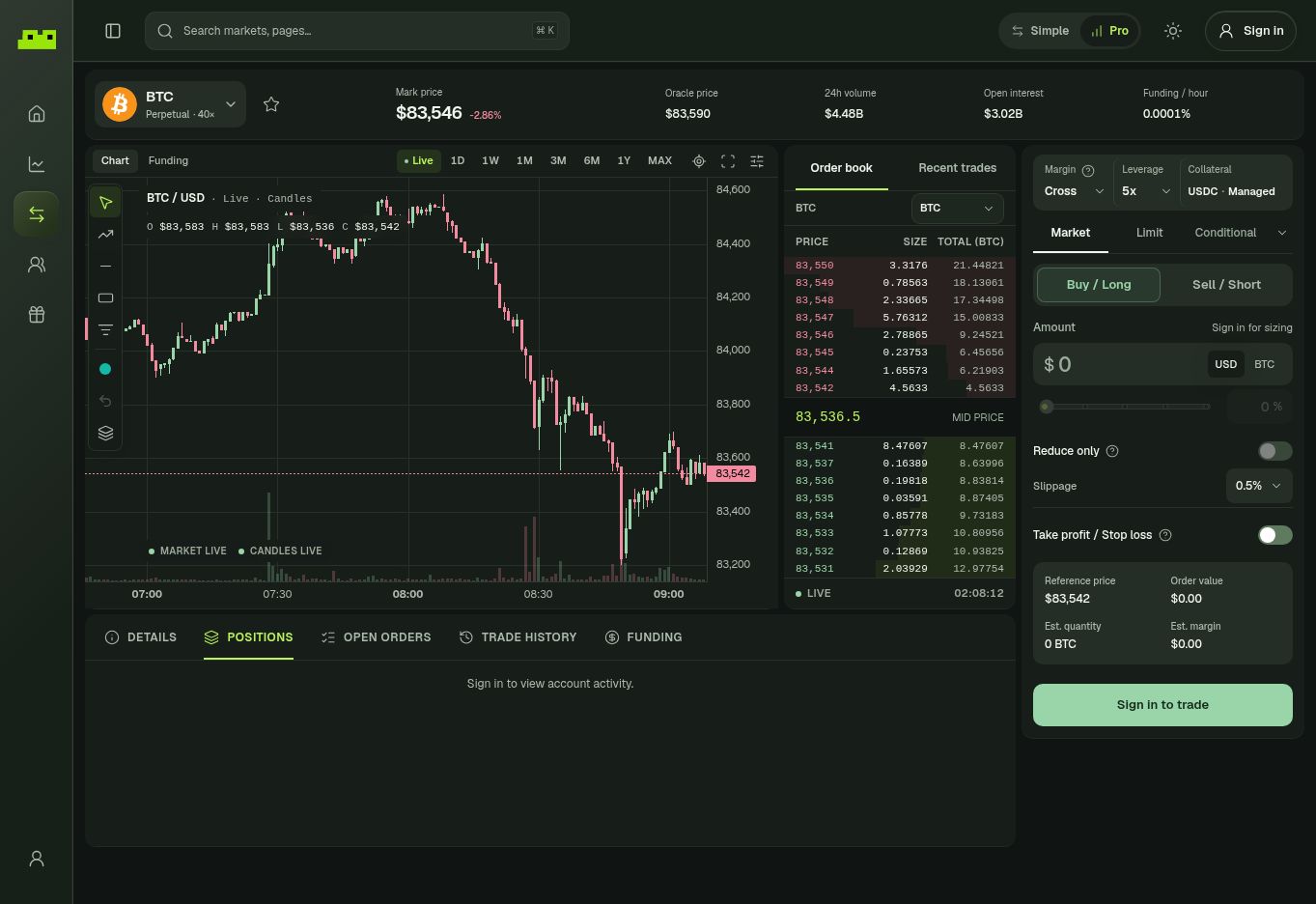
A complete view of Leap Pro, including the chart, order book, order entry, and account activity.
Start here
Create & access your account
Sign in with email, Google, or a wallet. Each method opens your separate Leap wallet.
Fund your account
Deposit from a connected wallet, send funds to your Leap address, or use a supported provider.
Explore markets
Search available markets and compare spot and perpetual markets.
Place your first trade
Follow the order flow and review the key details before you submit.
Choose your trading view
Simple
Keep the market, direction, amount, leverage, and order settings together in a focused flow.
Pro
Use the full workspace with charts, order book data, advanced orders, margin controls, and TP/SL.
One account, without the usual setup friction
Sign in with email, Google, or connect an existing wallet. Leap creates a separate self-custodial wallet for your account. If you connect an existing wallet, it acts as your access key to the new Leap wallet; it is not the wallet you trade from. You can export your Leap wallet’s private key in Settings.Explore beyond trading
Copy trading
Compare traders, follow addresses, and choose separately whether to turn on auto-copy.
Rewards
Check Leap Points, referrals, rank, and activity in the Rewards area.
Leap links
- Trading app: app.leap.trade
- Website: leap.trade